How it scores
- Cutting power and materials25%8.0
3 mm clearance and two tool holders, and it takes Silhouette's rotary blade, 3 mm Kraft Blade, punch tool, embossing tool and Heat Pen. Silhouette publishes no cut force, and wood or thick leather is beyond it.
- Cut size15%8.0
12 x 24 inches on a mat and 11.6 inches wide by 16 feet long without one, on any lined material rather than one brand's matless stock.
- Software and subscription20%8.0
Silhouette Studio Basic is free, works offline and has no subscription. Opening SVG or PDF files needs the one-time Designer upgrade ($49.99 list, $39.99 on sale).
- Setup and ease of use10%7.0
Automatic blade depth, tool detection and four-point Print & Cut registration help, and the Silhouette Go app runs it from a phone. Studio has more settings to learn than Cricut's app.
- Running costs and support15%7.0
The 5α page doesn't state a warranty; Silhouette's Portrait 4 and Curio 2 pages give one year parts and labor (USA and Canada). The roll feeder is now a $49.99 extra, and we couldn't confirm current Silhouette blade and mat prices.
- Value15%8.0
$279.99 is $80 more than Cricut's Explore 5, but it adds rotary-blade support, 16-foot matless cuts on any vinyl and one-time software; the Starter Bundle includes Designer at the same price.
Overall 7.8/10, the weighted average.How we score →
Is the Silhouette CAMEO 5 Alpha worth it?
Yes, at $279.99, if you want a 12-inch cutter whose software you own outright. That’s the machine-only price at Silhouette America in November 2026 (list $299.99). The CAMEO 5α cuts 12 x 24 inches on a mat and 11.6 inches wide by 16 feet long without one, it takes Silhouette’s rotary blade and 3 mm Kraft Blade, and its Silhouette Studio software is free, works offline and has no subscription.
Buy the Starter Bundle, not the machine alone. It’s also $279.99 and adds the Designer edition upgrade, which you need to open SVG files and which costs $49.99 on its own, plus vinyl, heat transfer vinyl and five hand tools.
Skip it if you want the simplest app and the cheapest 12-inch machine: Cricut’s Explore 5 is $199 and imports SVG files for free. If you need to cut wood or thick leather, look at the Cricut Maker 5 instead.
The CAMEO 5α (also written CAMEO 5 Alpha or 5A) launched on September 2, 2025, and replaced the original CAMEO 5. Silhouette no longer sells the CAMEO 5, so the α is the 12-inch CAMEO to buy. See what changed from the CAMEO 5.
CAMEO 5α specs
| Spec | Silhouette CAMEO 5α |
|---|---|
| Price (Nov 2026) | $279.99 at Silhouette, machine only (list $299.99); $299.99 at Amazon |
| Cut area on a mat | 12 x 24 in |
| Without a mat | 11.6 in x 16 ft on lined material (vinyl, HTV) |
| Material width | 5 to 12 in |
| Clearance | 3 mm |
| Cut force | Not published |
| Speed | Cutting up to 300 mm/s (11.8 in/s); sketching up to 400 mm/s (15.7 in/s) |
| Tool holders | 2, with automatic blade depth and tool detection |
| Print & Cut | Four-point registration marks; maximum area not published |
| Scanner or camera | Optical sensor for registration marks; no scanner |
| Connectivity | USB 2.0 and Bluetooth |
| Phone and offline | Silhouette Go app (iOS, Android); Studio works offline |
| Computer | Windows 10 or later, macOS 13 or later |
| Size and weight | 22.28 x 6.94 x 4.89 in; 11.5 lb |
| Warranty | Not stated on the 5α page; Silhouette’s Portrait 4 and Curio 2 pages give one year parts and labor |
| Colors | Classic White, Matte Black, Matte Pink, Bianco Carrara |
Source: Silhouette America’s product page, press release and help center, and Silhouette Europe’s comparison table, read November 28, 2026.
One spec needs care. Silhouette’s page copy and press release call 400 mm/s the “maximum speed”, but its own spec table, and Silhouette Europe’s, give 400 mm/s for sketching with pens and 300 mm/s for cutting. Vinyl and paper cut at up to 300 mm/s.
Which CAMEO 5α bundle should you buy?
| Option | Price (list) | What it adds to the machine |
|---|---|---|
| Machine only | $279.99 ($299.99) | Nothing |
| Starter Bundle | $279.99 ($529.83) | Designer upgrade, vinyl sampler, vinyl starter kit, heat transfer starter kit, printable heat transfer, 5 transfer tape sheets, 5 hand tools |
| DIY Personalize-It Bundle | $289.99 ($468.87) | Heat Pen, sticker sheets, stencil roll, foil, chipboard, $25 download card, 5 tools |
| ES Mat Bundle | $299.99 ($459.93) | 12 x 12 electrostatic mat, $25 download card, 5 tools |
| Print and Cut Bundle | $329.99 ($624.85) | Designer upgrade, electrostatic mat, letter Auto Sheet Feeder, sticker and tattoo papers, vinyl sampler, 5 tools |
| Design & Press | $399.99 ($687.85) | Silhouette cloChé heat press, heat transfer materials, rhinestones, 5 tools |
Prices at Silhouette America on November 28, 2026.
The Starter Bundle is the one to get. It costs the same as the machine alone and includes the Designer upgrade. Get the Print and Cut Bundle instead if you’ll make sticker sheets in volume: the Auto Sheet Feeder loads letter sheets for you.
Every version comes with a Standard Tack cutting mat, the AutoBlade, a sketch pen adapter, Studio, 100 designs and a month of the Design Store subscription. No roll feeder is in the box. The original CAMEO 5 included one; for the 5α it’s a $49.99 accessory. Silhouette’s spec table doesn’t tie the 16-foot matless figure to it, as it does for the Portrait 4 and CAMEO PRO MK-II.
On Amazon, the Matte Pink model is $299.99, sold by Amazon, $20 more than Silhouette’s own price for the machine alone.
What can the CAMEO 5α cut?
Vinyl, heat transfer vinyl, cardstock, sticker paper, printable vinyl, thin chipboard and fabric with the right blade. The 3 mm clearance and the tools below set the limit.
| Tool | Fits the CAMEO 5α | What it’s for |
|---|---|---|
| AutoBlade | In the box | Vinyl, HTV, paper, cardstock; exposes up to 1 mm |
| Rotary Blade | Yes | Fabric and felt |
| 2 mm Kraft Blade | Yes | Thicker materials; exposes 2 mm |
| 3 mm Kraft Blade | Yes | The deepest Silhouette blade; exposes 3 mm |
| Punch Tool | Yes | Punching holes |
| Embossing Tool Set (Type C) | Yes | Embossing paper |
| Heat Pen | Yes (powered carriage) | Foil |
| Pen Holder | Yes | Sketch pens |
| Power Engraver, Leather Punch | No (Curio 2 only) | Engraving, leather |
Source: Silhouette Europe’s tool compatibility table and Silhouette’s help center. Silhouette says the CAMEO 5 line takes every blade and tool made for the CAMEO 4. Older blades fit with an adapter.
What it can’t do is the Cricut Maker’s heavy work. Silhouette publishes no cut force, and 3 mm is the most any of its blades exposes. For balsa, basswood and thick tooling leather, the Maker 5 and its Knife Blade or a laser are the tools; see the best cutting machines for leather and wood.
Matless cutting is the CAMEO’s strong point. It cuts any lined material without a mat, up to 16 feet, and crosscuts the end automatically. Cricut’s matless cuts work only with Cricut’s own Smart Materials, up to 12 feet.
What does the software cost?
Nothing, unless you want the upgrades. Silhouette says Studio Basic is “completely free” and the paid editions are “one-time upgrade options” with “no subscriptions required”.
| Edition | Price (list, then Nov 2026 sale) | What it adds |
|---|---|---|
| Basic | Free | Design and text tools, tracing; opens DXF and traces JPG and PNG |
| Designer | $49.99, $39.99 on sale | Opens SVG and PDF, layers, patterns, warp, sketch effects |
| Designer Plus | $74.99, $59.99 on sale | Rhinestones, embroidery file import, puzzle generator |
| Business | $99.99, $79.99 on sale | Exports SVG, PDF, PNG and JPG; weed lines; nesting; runs several cutters |
Source: Silhouette Studio page and help center, November 28, 2026. Upgrade prices are from Basic.
Studio works offline once your downloads are synced. You need the internet to download or update it, to activate an upgrade and to get new Design Store purchases. The Silhouette Go app runs the 5α from an iPhone, iPad or Android phone over Bluetooth, and opening SVGs there also needs Designer or higher. See whether Business Edition is worth it and Design Space vs Silhouette Studio.
What does a CAMEO 5α cost over three years?
Our estimate, at Silhouette’s and Cricut’s November 2026 prices. It leaves out vinyl and paper, which cost the same on either brand, and blades and mats, because we couldn’t confirm Silhouette’s current prices.
| Setup | Year 1 | 3 years |
|---|---|---|
| CAMEO 5α Starter Bundle (Designer included) | $279.99 | $279.99 |
| CAMEO 5α Starter Bundle + roll feeder | $329.98 | $329.98 |
| CAMEO 5α machine + Business upgrade at list | $379.98 | $379.98 |
| Cricut Explore 5, no subscription | $199 | $199 |
| Cricut Explore 5 + Cricut Access Standard, paid yearly ($95.88) | $294.88 | $486.64 |
The CAMEO costs more up front. If you’d pay for extra software features either way, it’s cheaper within the first year with Designer, and by the second year even with Business, because Silhouette’s upgrades are paid once. If you’d never subscribe to Cricut Access, the Explore 5 stays $80 cheaper. Cricut Access is optional; see is Cricut Access worth it?.
CAMEO 5α or CAMEO 5α PLUS?
The 5α for most people. The CAMEO 5α PLUS is $399.99, $120 more, for a 14.6-inch cut width and an automatic sliding lid. The two share the same blades, speed, clearance and four-point registration. Buy the PLUS only if you cut designs wider than 11.6 inches, such as shirt backs or signs. See CAMEO 5α vs 5α PLUS.
CAMEO 5α or a Cricut?
| CAMEO 5α | Cricut Explore 5 | Cricut Maker 5 | |
|---|---|---|---|
| Price (maker, Nov 2026) | $279.99 | $199 | $349 |
| Cost per inch of cut width (our estimate) | $23.33 | $16.58 | $29.08 |
| Matless cuts | Any lined material, 16 ft | Cricut Smart Materials, 12 ft | Cricut Smart Materials, 12 ft |
| Thickest material | 3 mm clearance | Deep-point blade, up to 1.5 mm | 3 mm |
| Rotary blade | Yes | No | Yes |
| Knife blade for wood | No | No | Yes |
| SVG import | Designer upgrade | Free | Free |
| Offline | Yes | Windows, Mac and iOS after setup | Windows, Mac and iOS after setup |
Cost per inch is the maker’s price divided by a 12-inch cut width. Cricut figures are from Cricut’s product and help pages.
The Explore 5 is the cheaper, simpler choice. The CAMEO 5α is the one for people who cut long vinyl runs from third-party rolls, work offline or want to avoid an account-based subscription. See Cricut Explore 5 vs CAMEO 5α and Cricut vs Silhouette.
Should you buy the CAMEO 5α?
Buy it if you:
- cut vinyl or HTV from ordinary rolls and want long matless cuts;
- want software that works offline and never needs a subscription;
- make printed stickers and want four-point Print & Cut registration;
- want fabric cutting with a rotary blade without paying Maker prices.
Skip it if you want the easiest app, free SVG import or the lowest price (the $199 Explore 5), or need to cut wood (the Maker 5). For other Silhouette sizes, see the best Silhouette machines.
Questions people ask
Is the Silhouette CAMEO 5 Alpha worth it?
Yes, at $279.99, for a 12-inch cutter with free offline software, 16-foot matless cuts and rotary-blade support. Buy the $279.99 Starter Bundle, which includes the Designer upgrade.
What’s the difference between the CAMEO 5 and CAMEO 5 Alpha?
The 5α has four-point Print & Cut registration instead of three, sketches at 400 mm/s instead of 300, takes thicker electrostatic-mat materials (0.5 mm instead of 0.2 mm) and has redesigned pinch rollers. The original CAMEO 5 came with a roll feeder; the 5α doesn’t. Same body, clearance and cutting speed. See CAMEO 5α vs CAMEO 5.
Does the CAMEO 5α need a subscription?
No. Studio Basic is free, and the upgrades are one-time purchases: Designer $49.99, Designer Plus $74.99 and Business $99.99 at list. Club Silhouette and Design Store credits are optional subscriptions.
Can the CAMEO 5α cut without a mat?
Yes. It cuts lined materials such as vinyl and HTV without a mat, up to 11.6 inches wide and 16 feet long, from any brand.
Can the CAMEO 5α import SVG files?
Only with the Designer edition or higher ($49.99 list, $39.99 on sale), which comes free in the Starter and Print and Cut bundles. Studio Basic opens DXF files.
Can the CAMEO 5α cut wood or leather?
Thin materials only. Its deepest blade, the 3 mm Kraft Blade, and its 3 mm clearance set the limit, and Silhouette publishes no cut force. For wood, use a Cricut Maker with the Knife Blade or a laser.
Does the CAMEO 5α work with a phone?
Yes, through the Silhouette Go app on iOS and Android over Bluetooth. The full Silhouette Studio runs on Windows 10 or later and macOS 13 or later.
Key specifications
| Feature | Silhouette Cameo 5α | Silhouette Cameo 5α Plus | Cricut Explore 5 |
|---|---|---|---|
| Type | Cutting machine | Cutting machine | Cutting machine |
| Media | Printable vinyl, sticker paper, cardstock, HTV | Printable vinyl, sticker paper, cardstock, HTV | |
| Max size | 12 x 24 in mat | 12 x 24 in mat | |
| Connection | Bluetooth, USB | Bluetooth, USB | Bluetooth, USB |
| Where to buy | Check price at Amazon | Check price at Amazon | Check price at Amazon |
Silhouette Cameo 5α
- Type
- Cutting machine
- Media
- Printable vinyl, sticker paper, cardstock, HTV
- Max size
- 12 x 24 in mat
- Connection
- Bluetooth, USB
Silhouette Cameo 5α Plus
- Type
- Cutting machine
- Media
- Max size
- Connection
- Bluetooth, USB
Cricut Explore 5
- Type
- Cutting machine
- Media
- Printable vinyl, sticker paper, cardstock, HTV
- Max size
- 12 x 24 in mat
- Connection
- Bluetooth, USB
More on the Silhouette Cameo 5α
Compared with
- Cricut Design Space vs Silhouette Studio: which is better?
- Cricut Explore 5 vs Silhouette CAMEO 5α: which should you buy?
- Cricut Maker 5 vs Silhouette CAMEO 5α: which is better?
- Silhouette CAMEO 5α vs CAMEO 5α PLUS: which should you buy?
- Cricut vs Silhouette for stickers: which cutting machine should you buy?
Sources
- Silhouette CAMEO 5α product page and bundles, silhouetteamerica.com
- Silhouette CAMEO 5α PLUS product page, silhouetteamerica.com
- Silhouette America press release: CAMEO 5α and 5α PLUS (Sept 2, 2025), silhouetteamerica.com
- Silhouette Studio editions and prices, silhouetteamerica.com
- Silhouette help: File Types and Features, silhouetteamerica.freshdesk.com
- Silhouette help: Software Overview, silhouetteamerica.freshdesk.com
- Silhouette help: Silhouette Go Mobile App Overview, silhouetteamerica.freshdesk.com
- Silhouette help: Features (Cutting Machines), silhouetteamerica.freshdesk.com
- Silhouette help: CAMEO 5, silhouetteamerica.freshdesk.com
- Silhouette Europe machine comparison, silhouetteeurope.eu
- Silhouette Europe tool compatibility, silhouetteeurope.eu
- Amazon: Silhouette CAMEO 5α (Matte Pink), amazon.com
- Cricut Explore 5 product page, cricut.com
- Cricut Access plans, cricut.com
Keep exploring
How to
Is Cricut Access worth it? The break-even math
Cricut Access is worth it only if you'd use its 1.5 million-image library every month or spend about $560 a year at cricut.com, where Standard's 10% discount and $10 quarterly coupons cover its $95.88 yearly price (our estimate). Premium ($119.88 a year) pays for itself at about $400 a year of Cricut materials. If you cut your own designs or SVGs bought elsewhere, the free account is enough.
Read the guide
Review
Silhouette CAMEO 5α PLUS review: is the CAMEO 5 Plus worth it?
The original CAMEO 5 Plus is no longer sold; its replacement, the CAMEO 5α PLUS, is $399.99. It's worth it only if you cut designs wider than 11.6 inches. Otherwise the $279.99 CAMEO 5α does the same jobs.
Read the review
How to
Is Silhouette Studio Business Edition worth it?
Business Edition is worth its one-time $99.99 ($79.99 on sale in November 2026) only if you need to export SVG or PNG files, run more than one Silhouette, nest designs, add weed lines or open AI and EPS files. For SVG import alone, the $49.99 Designer edition is enough.
Read the guide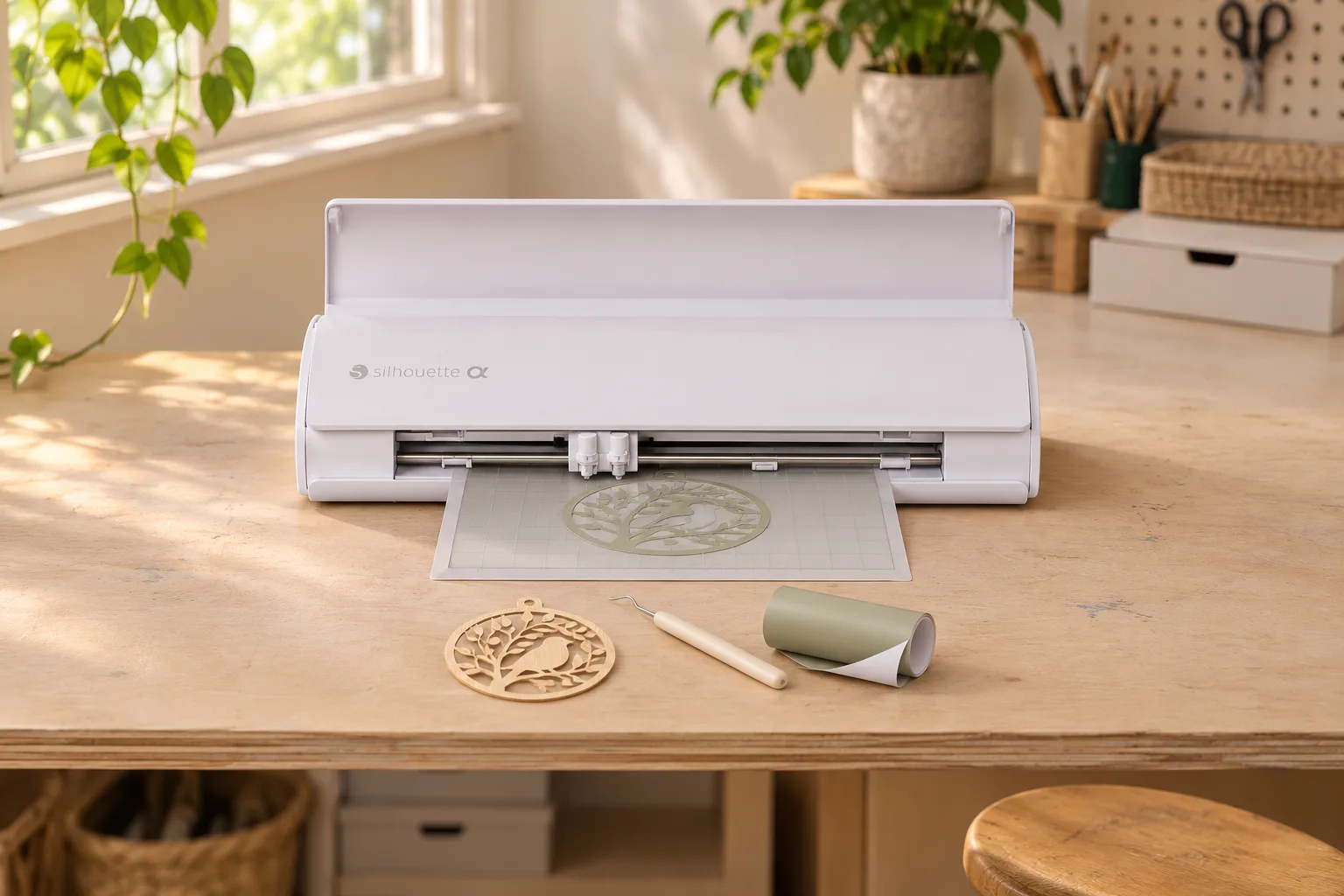
How to
Silhouette CAMEO 5α vs CAMEO 5: what changed?
The CAMEO 5α replaced the CAMEO 5 in September 2025 at $279.99. It adds four-point Print & Cut registration, 400 mm/s sketching, redesigned pinch rollers and 0.5 mm electrostatic-mat support, but drops the included roll feeder. Same body, blades and cut speed.
Read the guide