The quick answer
The best cutting machine for cardstock and paper crafts is the Cricut Explore 5: it comes with a Scoring Tool for fold lines, takes 12 x 12 and 12 x 24 mats plus Cricut's card mats, and Print Then Cuts sheets up to tabloid size, for $199 in November 2026. The Essential Bundle, with a 2-Card Mat, is also $199, so buy that. Step up to the Cricut Maker 5 ($349) for chipboard, debossing and perforated tear lines; pick the Silhouette CAMEO 5α ($279.99) for an electrostatic mat and two tool holders; and the Cricut Joy 2 ($99) for small cards on a budget.
Our quick picks

Best for an electrostatic mat and two tools at once
Silhouette Cameo 5α
Compare the picks
| Feature | Best cutting machine for cardstockCricut Explore 5 | Best for chipboard, debossing and 3D paperCricut Maker 5 | Best for an electrostatic mat and two tools at onceSilhouette Cameo 5α | Best cheap card makerCricut Joy 2 | Best for embossing and engraving paperSilhouette Curio 2 |
|---|---|---|---|---|---|
| Type | Cutting machine | Cutting machine | Cutting machine | Cutting machine | Flatbed cutting machine |
| Media | Printable vinyl, sticker paper, cardstock, HTV | Printable vinyl, sticker paper, cardstock, HTV | |||
| Max size | 12 x 24 in mat | 12 x 24 in mat | |||
| Connection | Bluetooth, USB | Bluetooth, USB-C | Bluetooth, USB | Bluetooth | Bluetooth, USB |
| Where to buy | Check price at Amazon | Check price at Amazon | Check price at Amazon | Check price at Amazon | Check price at Amazon |
Best cutting machine for cardstock
Cricut Explore 5
- Type
- Cutting machine
- Media
- Printable vinyl, sticker paper, cardstock, HTV
- Max size
- 12 x 24 in mat
- Connection
- Bluetooth, USB
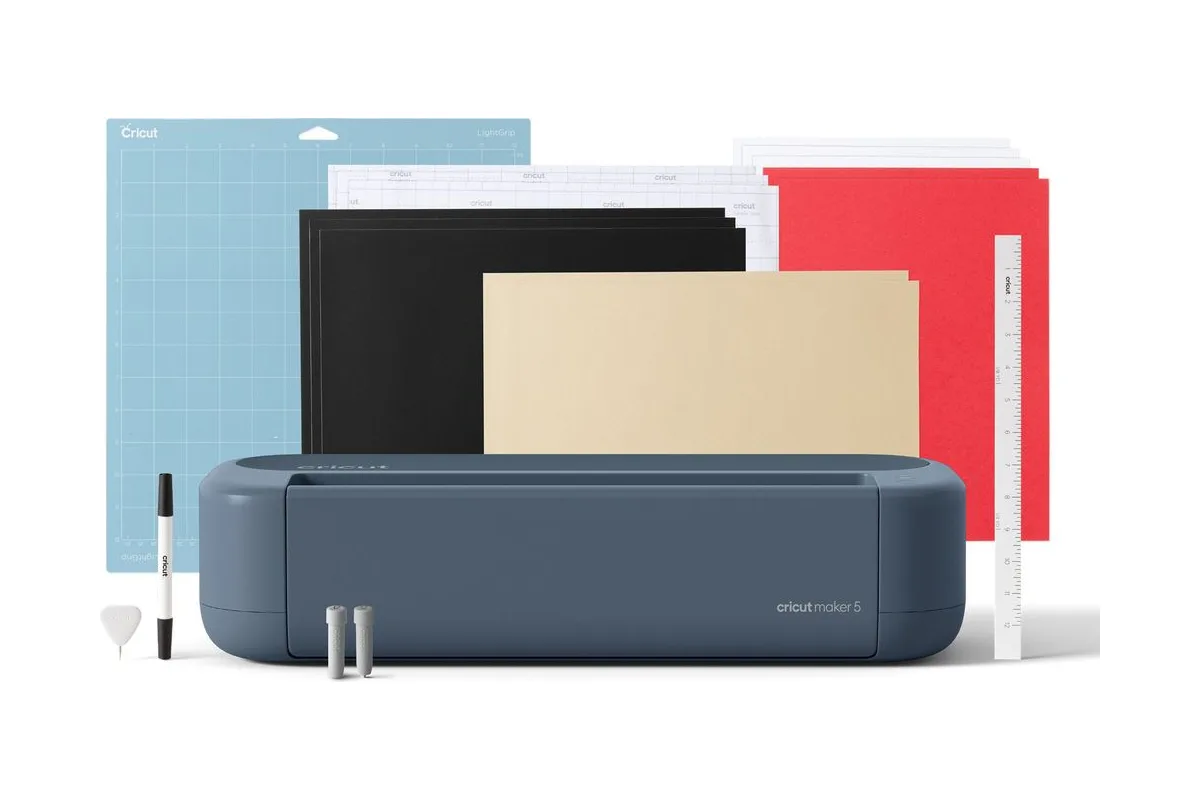
Best for chipboard, debossing and 3D paper
Cricut Maker 5
- Type
- Cutting machine
- Media
- Max size
- Connection
- Bluetooth, USB-C
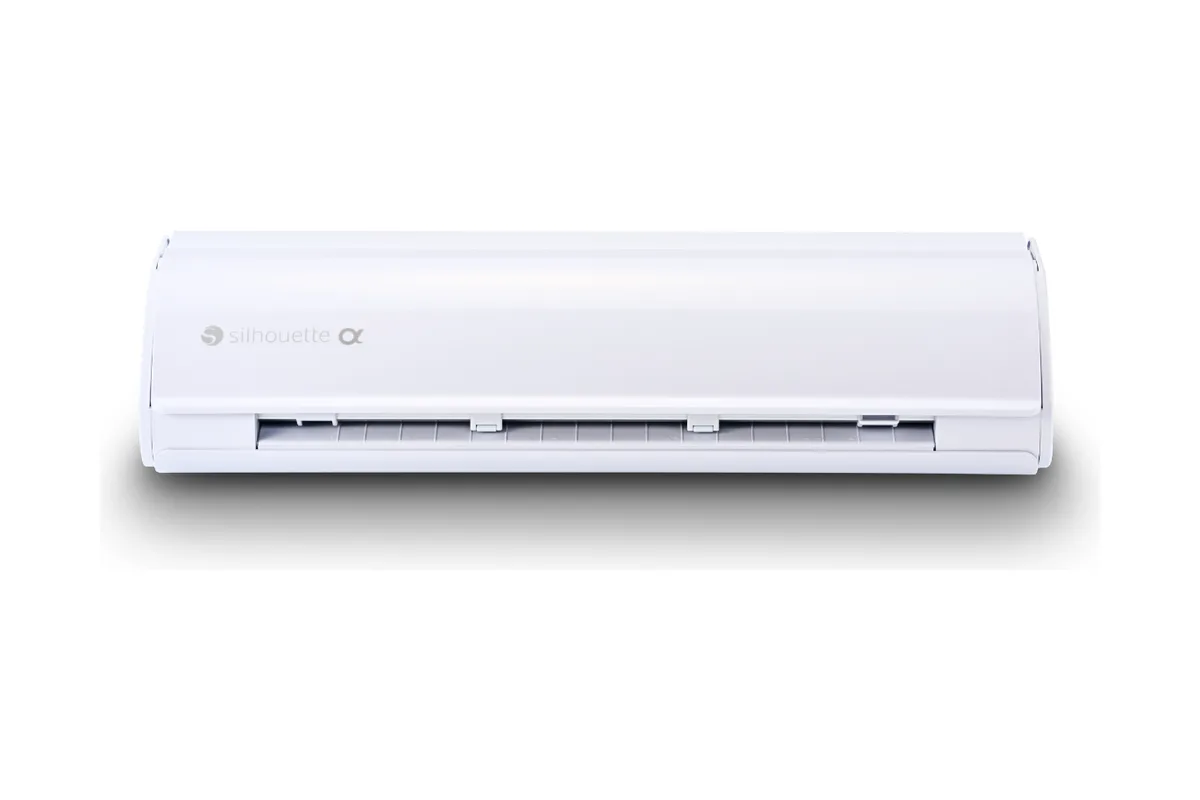
Best for an electrostatic mat and two tools at once
Silhouette Cameo 5α
- Type
- Cutting machine
- Media
- Printable vinyl, sticker paper, cardstock, HTV
- Max size
- 12 x 24 in mat
- Connection
- Bluetooth, USB
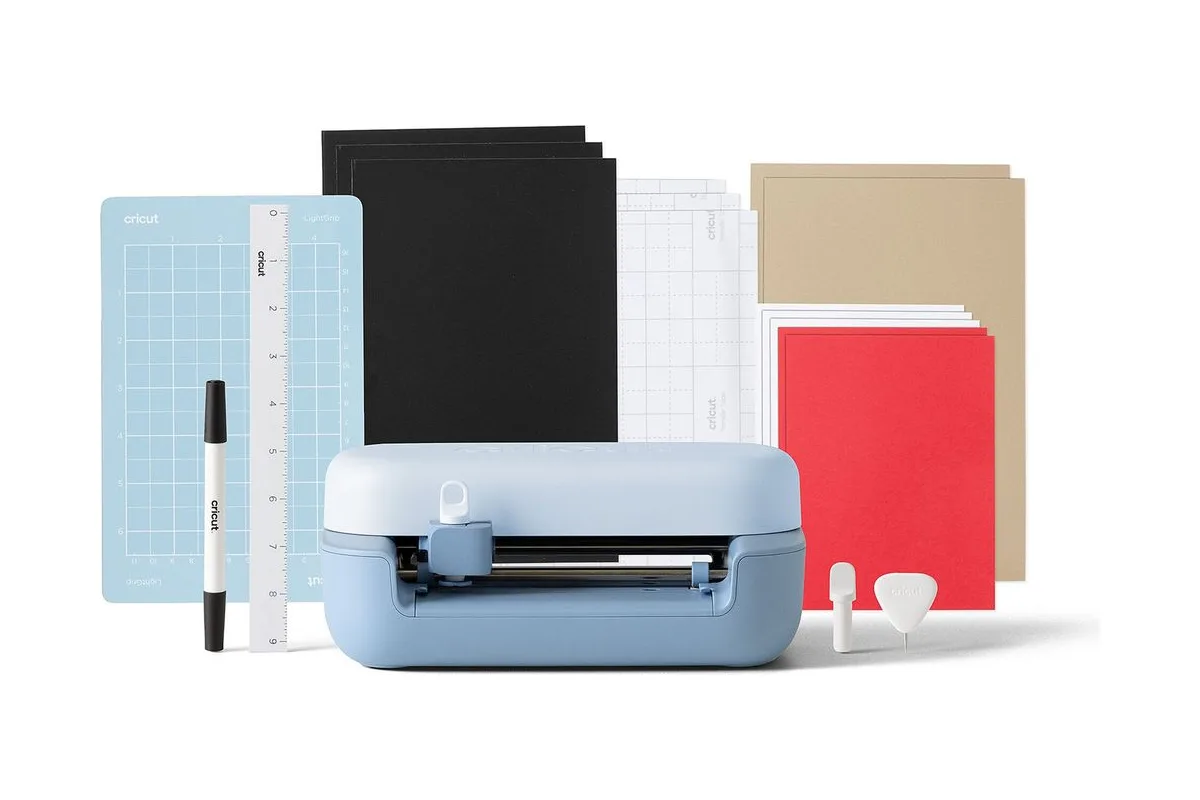
Best cheap card maker
Cricut Joy 2
- Type
- Cutting machine
- Media
- Max size
- Connection
- Bluetooth
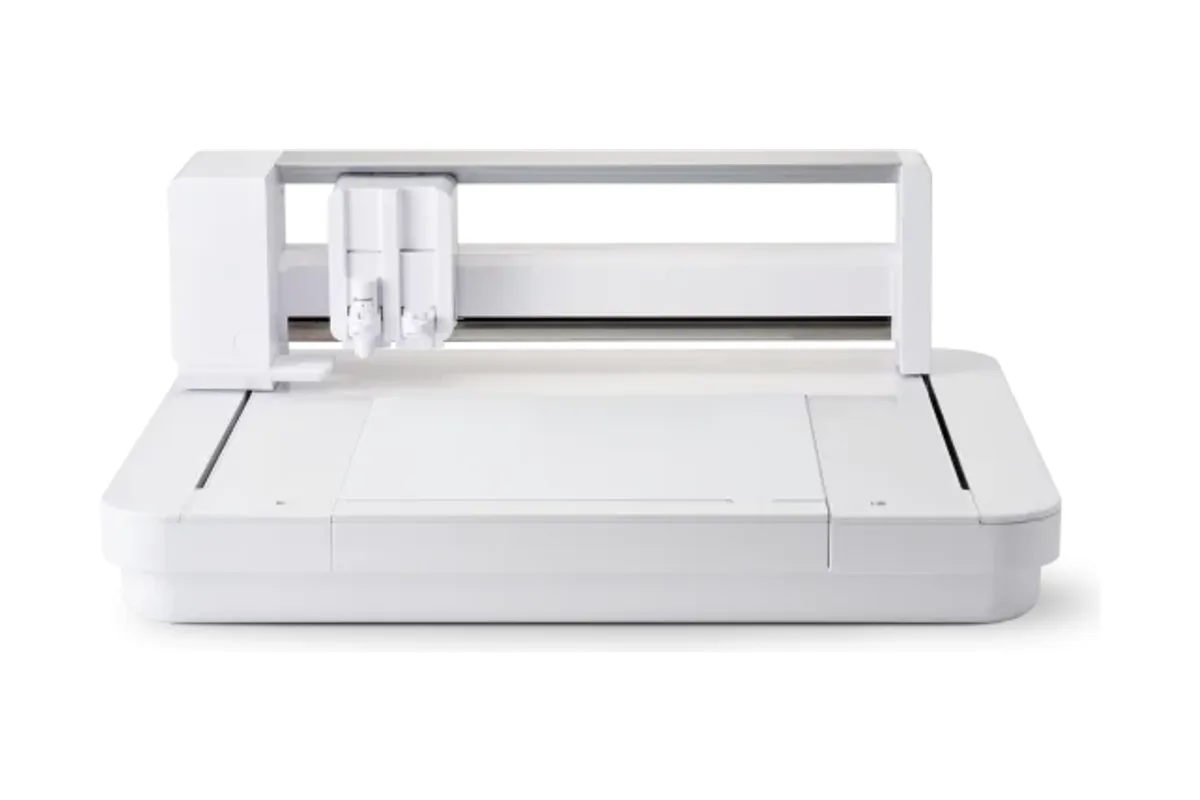
Best for embossing and engraving paper
Silhouette Curio 2
- Type
- Flatbed cutting machine
- Media
- Max size
- Connection
- Bluetooth, USB
01Best cutting machine for cardstock
Cricut Explore 5
Cricut's 2026 full-size cutter, the cheapest Cricut with 12-inch mats and tabloid-size Print Then Cut.
The Explore 5 has what card makers use most. A Scoring Tool for fold lines comes in the box, it takes Cricut's 12 x 12 and 12 x 24 mats in four grip strengths and the Card Mat 2 x 2 and 1 x 2, and Cricut's Deep Cutting Tool (sold separately) handles poster board, heavy cardstock and foam up to 1.5 mm. Print Then Cut works on white, lightly colored and simple patterned paper up to tabloid size, cutting about 15.9 x 9.9 inches of printed area. Cricut rates it at 14.1 inches a second.
It's $199 at Cricut in November 2026, and the Essential Bundle costs the same $199 at Cricut and Amazon (list $249). It adds a 2-Card Mat for cards up to 4.75 x 6.6 inches, a trimmer, a 12-inch ruler, insert cards and more cardstock, so buy the bundle. Cricut doesn't publish a maximum cardstock weight or thickness for the Explore 5, and the old Scoring Stylus doesn't fit it. The warranty is one year. Read our Explore 5 review.
Good for
- 12 x 12 and 12 x 24 inch mats, and up to 12 feet of Smart Materials without a mat
- Sensor that recognizes and cuts around inkjet-printed images
- $199 at Cricut, and the Amazon Essential Bundle is also $199 in November 2026
Consider
- You still need a separate inkjet printer
- Design Space needs a Cricut account and the internet for setup, uploads and Print Then Cut; Cricut Access is a paid extra
02Best for chipboard, debossing and 3D paper
Cricut Maker 5
Cricut's newest Maker (September 2026): 12-inch cuts, materials up to 3 mm thick and 13 tools, $349 at Cricut or $399 as the Essential Bundle on Amazon.
The Maker 5 is for paper crafters who want more than cut and score: 3D houses, boxes from chipboard, cards with debossed patterns, perforated tear-out tickets and wavy edges. Those tools (Knife Blade, Debossing Tip, Perforation Blade, Wavy Blade and Scoring Wheels) fit only Cricut's Maker line. Cricut says its scoring wheels give up to 10 times the pressure of the old Scoring Stylus, and the Maker 5 takes materials up to 3 mm thick.
It's $349 at Cricut in November 2026 with a Scoring Tool and a 12 x 12 mat, or $399 as the Essential Bundle at Cricut and Amazon; Cricut's version adds an Engraving Tool and a 2-Card Mat. The QuickSwap tips cost extra: a Scoring Wheel tip is $32.99 at list and the QuickSwap Housing it needs $29.99, and the Perforation and Wavy blades are $54.99 each with a housing. Knife Blade projects need Design Space on a computer. Read our Maker 5 review.
Good for
- Cuts materials up to 3 mm (1/8 in) thick, up from 2.4 mm on the Maker 4
- Works with 13 tools, including rotary, knife, engraving and debossing tips
- Cuts Smart Vinyl and Smart Iron-On up to 12 feet without a mat
Consider
- Cricut publishes no cutting force
- Design Space needs a Cricut account and internet for setup; Cricut Access is a paid extra
03Best for an electrostatic mat and two tools at once
Silhouette Cameo 5α
Silhouette's 12-inch cutter, with free offline software and one-time paid upgrades instead of a subscription.
The CAMEO 5α has two tool holders, so it can cut and score, emboss or draw in one pass, and Silhouette sells a 12 x 12 Electrostatic Mat that holds paper by static instead of adhesive. Silhouette raised the mat's material limit on the 5α from 0.2 to 0.5 mm. Its tool list for paper includes an Embossing Tool Set, a Punch Tool, a Heat Pen for foil and kraft blades up to 3 mm, and its four-point registration marks line up Print & Cut.
It's $279.99 at Silhouette in November 2026 (list $299.99), $299.99 on Amazon, and the ES Mat Bundle with the electrostatic mat is $299.99. Studio Basic is free and works offline; importing SVG files needs the Designer upgrade, included in the $279.99 Starter Bundle. Silhouette rates it at 300 mm/s cutting. It doesn't publish a cardstock weight limit either.
Good for
- Silhouette Studio Basic is free and works offline
- Paid upgrades are one-time purchases, not subscriptions
- 4-point Print & Cut registration and 16-foot matless cuts
Consider
- Importing SVG files needs the Designer edition ($39.99 on sale)
- Costs more than Cricut's Explore 5
04Best cheap card maker
Cricut Joy 2
Cricut's 2026 mini cutter: 4.5-inch cuts, Print Then Cut on narrow strips (up to about 3.2 x 9.9 inches from letter paper) and a scoring tool, $99 at Cricut or $109 as the Essential Bundle on Amazon.
The Joy 2 is the cheapest Cricut that scores, which the Joy Xtra can't, and unlike the original Joy it can Print Then Cut. It cuts 4.5 inches wide: 4.2 x 6.2 inches on its small mat or 4.2 x 11.7 on the long one. That covers A2 card fronts, tags, labels and small toppers. Cricut rates it at 5.3 inches a second.
It's $99 at Cricut in November 2026 with a Scoring Tool in the box, and the $109 Essential Bundle (on Amazon too) adds a Card Mat for cards up to 4.5 x 6.25 inches and letter-size cardstock. Print Then Cut is limited to about 3.2 x 9.9 inches on a letter sheet, and Cricut doesn't list the Joy 2 among machines that print-and-cut on colored paper. Read our Joy 2 review.
Good for
- $99 machine; Smart Materials up to 4 feet without a mat
- Adds Print Then Cut for labels and strips up to about 3.2 x 9.9 inches, which the original Joy lacked
- Small: 9.1 x 5.4 x 2.8 inches and under 3 pounds
Consider
- 4.5-inch cut width limits shirts, signs and larger decals
- Slower than full-size Cricuts (5.3 inches per second)
05Best for embossing and engraving paper
Silhouette Curio 2
Silhouette's 12 x 12 inch flatbed machine for cutting, embossing and engraving, with room for materials up to 20 mm thick, $329.99 at Silhouette.
The Curio 2 is a 12 x 12 flatbed, not a roll cutter, and it's for paper crafters who emboss, engrave and work with thick stock. The bed is electrostatic, so no cutting mat is needed, and it holds materials up to 20 mm tall. It measures material thickness automatically, has two tool holders, and takes Silhouette's Embossing Tool, Power Engraver, Heat Pen and Leather Punch. It cuts up to 3 mm deep.
It's $329.99 at Silhouette in November 2026 (list $499.99), or $339.99 as the Starter Bundle with a Power Engraver and the Designer upgrade; Amazon has it at $389.99. It's big (24 x 20 x 9.4 inches, 23.8 lb) and slow next to roll cutters, at 100 mm/s in Silhouette's European spec table. The warranty is one year parts and labor.
Good for
- Flatbed takes materials up to 20 mm thick, with embossing, engraving and leather-punch tools
- Two tool heads and a 12 x 12 inch bed
- Free Silhouette Studio Basic
Consider
- Not a roll or vinyl cutter: no long cuts
- Cuts only 3 mm deep, and costs $389.99 on Amazon
What is the best cutting machine for cardstock and paper crafts?
The Cricut Explore 5. For $199 in November 2026 you get a 12-inch cutter with a Scoring Tool for fold lines, support for Cricut’s card mats, and Print Then Cut on letter, legal and tabloid sheets. Cricut’s Essential Bundle adds a 2-Card Mat, a trimmer and more cardstock and costs the same $199, so it’s the one to buy.
Paper crafts split into three jobs, and the machines differ on each: cutting fine detail cleanly, scoring and folding (cards, boxes, 3D houses), and finishing (embossing, debossing, foil, perforation). The Explore 5 covers the first two well. The Maker 5 and the Silhouettes add more finishing tools.
Which machine is best for each paper craft?
| Project | Pick | Why |
|---|---|---|
| Greeting cards and invitations | Explore 5 | Scoring Tool, 2-Card Mat in the $199 bundle |
| Small cards, tags and labels | Joy 2 | $99, scores, Card Mat in the $109 bundle |
| Printed stickers and toppers | Explore 5 | Print Then Cut up to tabloid sheets |
| Boxes, 3D houses, chipboard | Maker 5 | Knife Blade, scoring wheels, 3 mm clearance |
| Debossed or perforated cards | Maker 5 | Debossing Tip and Perforation Blade fit only the Maker line |
| Delicate paper without sticky mats | CAMEO 5α | Electrostatic mat |
| Embossing and engraving | Curio 2 | 20 mm flatbed, Power Engraver |
| Cutting around stamped images | Brother ScanNCut SDX125E | Built-in scanner, no registration marks |
| Metal dies and embossing folders | Sizzix Big Shot | Manual die cutter, 6-inch opening |
Paper cutters compared
| Cricut Explore 5 | Cricut Maker 5 | Silhouette CAMEO 5α | Cricut Joy 2 | Silhouette Curio 2 | |
|---|---|---|---|---|---|
| Cut area on a mat | 12 x 24 in mat (cut area not stated) | 11.5 x 23.5 in | 12 x 24 in | 4.2 x 11.7 in | 12 x 12 in bed |
| Thickness | Not stated; Deep Cutting Tool 1.5 mm | 3 mm (1/8 in) | 3 mm | Not stated | 20 mm material height; cuts 3 mm deep |
| Scoring | Scoring Tool (in box) | Scoring Tool (in box); scoring wheels | Embossing tools in second holder | Scoring Tool (in box) | Embossing Tool |
| Other paper tools | Foil, pens | Debossing, perforation, wavy, engraving, foil | Punch, Heat Pen foil, kraft blades | Foil, pens | Power Engraver, Heat Pen, Leather Punch |
| Card mats | Card Mat 2 x 2, 1 x 2, 2-Card Mat | Card Mat 2 x 2, 2-Card Mat | — | Joy Card Mat | — |
| Mat-free option | No | No | Electrostatic Mat (sold separately) | No | Electrostatic bed |
| Print-and-cut, largest sheet | Tabloid or A3 (15.9 x 9.9 in area) | Tabloid or A3 | Four-point registration marks | Letter (about 3.2 x 9.9 in area) | Three-point registration marks |
| Top speed | 14.1 in/s (358 mm/s) | 14.1 in/s (358 mm/s) | 300 mm/s (11.8 in/s) | 5.3 in/s (135 mm/s) | 100 mm/s (3.9 in/s) |
| Connection | Bluetooth, USB-C; phone app | Bluetooth, USB-C; phone app | Bluetooth, USB; Silhouette Go app | Bluetooth; phone app | Bluetooth, USB; Silhouette Go app |
| Weight | 10.1 lb | 10.9 lb | 11.5 lb | 2.7 lb | 23.8 lb |
| Warranty | 1 year | 1 year | Not stated on the product page | 1 year | 1 year parts and labor |
| Price (Nov 2026) | $199 | $349 | $279.99 | $99 | $329.99 |
Makers’ figures. Print Then Cut areas are Cricut’s maximums for each page size; you can’t use the full height and width at once. The Curio 2’s speed is from Silhouette’s European comparison table.
How thick a cardstock can a Cricut cut?
Cricut doesn’t publish a cardstock weight limit. It gives thickness instead, and only for some machines: the Maker 5 handles materials up to 3 mm (1/8 inch) depending on density and tool, and the Maker 4 2.4 mm. The Explore 5 has no stated limit beyond its Deep Cutting Tool, which Cricut says cuts poster board, heavy cardstock, foam and magnet sheet up to 1.5 mm. Silhouette rates the CAMEO 5α at 3 mm and the Portrait 4 at 2 mm.
Match the mat to the paper. Cricut’s guide is LightGrip (blue) for printer paper, light cardstock and vellum, StandardGrip (green) for cardstock and patterned paper, and StrongGrip (purple) for thick or glitter cardstock, chipboard and poster board.
How much does a card cost to make?
About $0.40 to $0.67 for a simple A2 card from one 12 x 12 sheet, including mat and blade wear (our estimate). Cricut’s Value Cardstock costs $0.21 to $0.26 a sheet at list (120-sheet Rainbow pack $24.99; 50 white sheets $12.99), and its 80 lb Basics Sampler $0.48 a sheet. Add wear on the mat and blade: Cricut gives no lifespan for either, so we assume 25 uses for a $3.33 mat (from the $19.99 6-pack) and 100 projects for a $6 blade (from the $29.99 5-pack), about $0.19 per card. Insert cards for the Card Mat are a separate cost.
Do you need a Maker for paper crafts?
Not for cards, but yes for chipboard and finishing tools. The Explore 5 cuts, scores, draws and foils. The Maker 5 adds the tools that only fit its adaptive QuickSwap system:
- Knife Blade ($49.99 list) for chipboard and matboard. Cricut’s tool guide lists 1.6 mm chipboard.
- Scoring wheels for crisp folds in heavy cardstock, up to 10 times the Scoring Stylus pressure, Cricut says.
- Debossing Tip for pressed-in patterns, Perforation Blade for tear lines, and Wavy Blade for decorative edges.
- Engraving Tool for metal and acrylic tags.
They’re all extras except the Scoring Tool, and the Ultimate Plus Bundle ($499 at Cricut) adds the engraving, deep, rotary and knife tools but not the debossing, perforation or wavy tips. See Maker 5 vs Explore 5 and Cricut blades explained.
Cricut or Silhouette for paper crafts?
Cricut for cards with the least setup; Silhouette for electrostatic mats and two tools at once.
- Software. Design Space is free, imports SVG cut files free and runs on iPhone and Android. Silhouette Studio Basic is free and works offline, but SVG import needs the Designer upgrade ($49.99 list, $39.99 on sale, or included in the CAMEO 5α Starter Bundle).
- Tools. The CAMEO 5α has two tool holders, so it can emboss and cut in one job. The Maker 5 has more specialty tools: debossing, perforation, wavy and engraving.
- Mats. Silhouette’s Electrostatic Mat holds paper with static, not glue, and the Curio 2’s bed works the same way. Every Cricut uses adhesive mats.
- Print-and-cut. Cricut documents a tabloid limit for the Explore 5. Silhouette uses four-point registration marks on the CAMEO 5α but doesn’t give a maximum size in the pages we read.
See Design Space vs Silhouette Studio.
How we chose
We compared the cutting machines Cricut, Silhouette and Brother sell new in the US for paper work, using the makers’ spec pages, tool and mat guides, and Print Then Cut size tables, with prices read on November 28, 2026. We weighted scoring and card tools, mat options, thickness and print-and-cut size, since those are what separate machines for cards and paper models. Card cost is our arithmetic on Cricut’s list prices, with mat and blade wear based on our own assumptions. We haven’t tested these machines ourselves; see how we score.
Also consider
- Cricut Joy Xtra ($129): 8.5 inches wide with letter-size Print Then Cut on colored paper, but no scoring. See Joy 2 vs Joy Xtra.
- Silhouette Portrait 4 ($179.99): an 8.5-inch Silhouette with 2 mm clearance and one tool holder.
- Brother ScanNCut SDX125E ($449.99): scans stamped or printed images and cuts around them without registration marks, from its own touchscreen.
- Sizzix Big Shot ($169.99 list, $115.99 on Amazon): a hand-cranked die cutter for metal dies and embossing folders, with a 6-inch opening.
- Cricut Maker 4 ($349): the previous Maker, still sold, with 2.4 mm clearance and the Scoring Stylus instead of the Scoring Tool.
Questions people ask
Is Cricut or Silhouette better for cardstock?
The Cricut Explore 5 for most card makers: it’s cheaper, scores out of the box and imports SVG files free. The Silhouette CAMEO 5α is the pick if you want an electrostatic mat or to cut and emboss in one pass.
Can the Cricut Joy cut cardstock?
Yes. The Joy 2 and Joy Xtra both cut cardstock, and the Joy 2 also scores fold lines. They’re limited to 4.5 and 8.5 inches wide.
Do you need a scoring tool for cards?
For clean folds in cardstock, yes. The Explore 5, Maker 5 and Joy 2 include Cricut’s Scoring Tool in the box. The Joy Xtra can’t score.
Which Cricut cuts chipboard?
The Maker 5 and Maker 4, with the Knife Blade. The Explore 5’s Deep Cutting Tool handles thinner board up to 1.5 mm.
What mat should you use for cardstock?
StandardGrip (green) for most cardstock, and StrongGrip (purple) for thick, glitter or textured cardstock and chipboard. Use LightGrip (blue) for printer paper and light cardstock.
Can a Cricut cut intricate paper designs?
Yes, with the Fine-Point blade on a fresh mat. Cricut doesn’t publish a minimum detail size for paper; its only stated minimum is 3/4 inch for rotary-blade designs on fabric.
Sources
- Cricut Explore 5, cricut.com
- Cricut Explore 5 Essential Bundle, cricut.com
- Cricut Explore 5 Quick Start Guide, help.cricut.com
- Cricut Maker 5, cricut.com
- Cricut Maker 5 compatible tools, accessories and materials, help.cricut.com
- Cricut Maker 5 frequently asked questions, help.cricut.com
- Cricut Joy 2, cricut.com
- Cricut Joy 2 Quick Start Guide, help.cricut.com
- Cricut machine comparison chart, cricut.com
- Cricut: How large can I Print Then Cut?, help.cricut.com
- Cricut: How to Print Then Cut in Design Space, help.cricut.com
- Cricut: All About Cricut Blades and Machine Tools, help.cricut.com
- Cricut: which mat grip for which material, help.cricut.com
- Cricut: Which mats can I use with my Cricut machine?, help.cricut.com
- Cricut blades and tools prices, cricut.com
- Cricut machine mat prices, cricut.com
- Cricut paper and cardstock prices, cricut.com
- Silhouette CAMEO 5α, silhouetteamerica.com
- Silhouette Curio 2, silhouetteamerica.com
- Silhouette Portrait 4, silhouetteamerica.com
- Silhouette Europe machine comparison, silhouetteeurope.eu
- Silhouette Europe tool compatibility, silhouetteeurope.eu
- Silhouette features (cutting machines), silhouetteamerica.freshdesk.com
- Brother ScanNCut SDX125E, Brother
- Sizzix Big Shot, sizzix.com
- Amazon: Cricut Explore 5 Essential Bundle, amazon.com
- Amazon: Cricut Maker 5 Essential Bundle, amazon.com
- Amazon: Silhouette CAMEO 5α, amazon.com
- Amazon: Cricut Joy 2 Essential Bundle, amazon.com
- Amazon: Silhouette Curio 2, amazon.com
- Amazon: Brother ScanNCut SDX125E, amazon.com
- Amazon: Sizzix Big Shot, amazon.com
Keep exploring
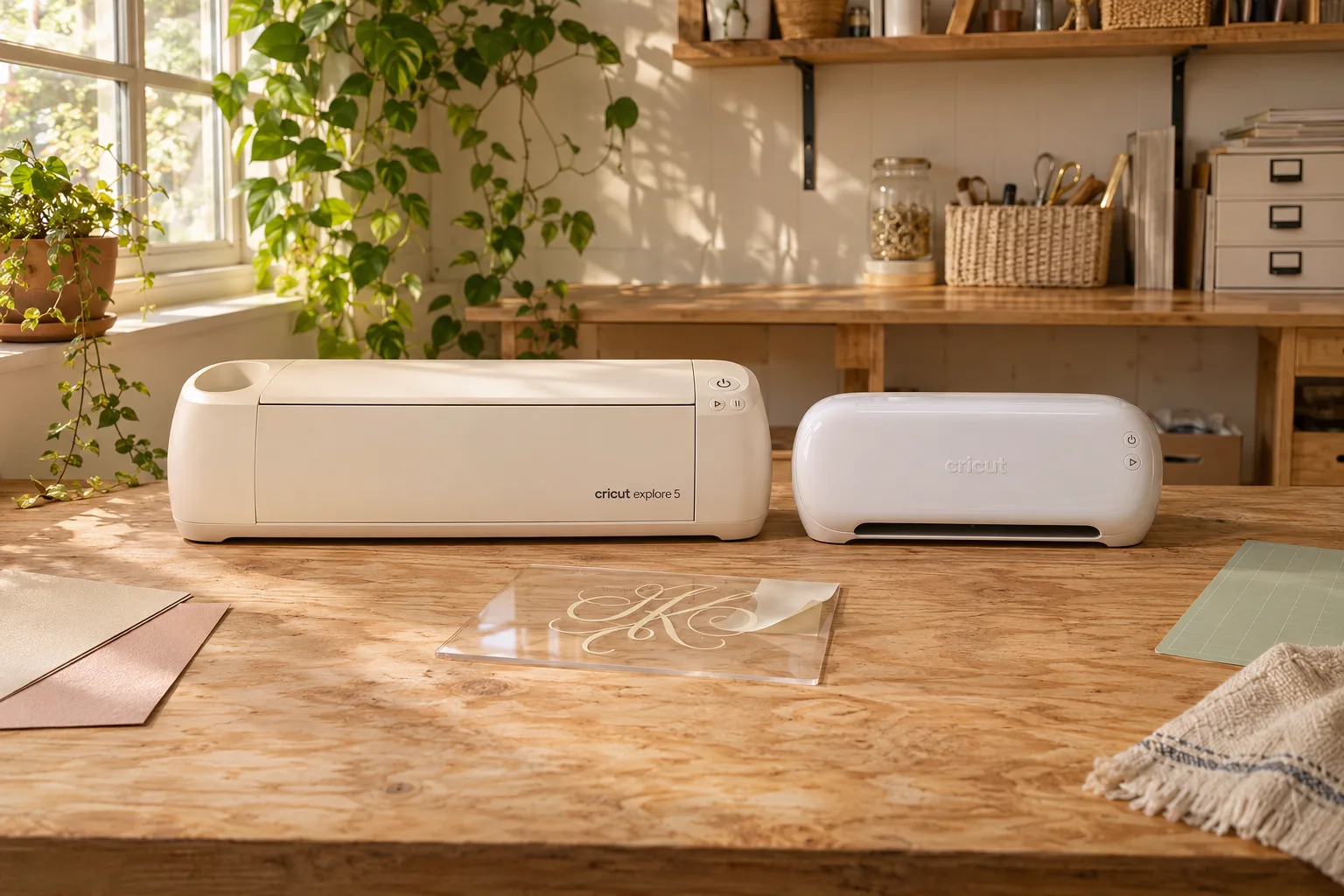
Buying guide
The best cutting machines for beginners
The Cricut Explore 5 is the best cutting machine for beginners: the Essential Bundle is $199 in November 2026, the same as the machine alone, and it cuts 12-inch vinyl, iron-on and cardstock, scores cards and prints and cuts tabloid sticker sheets. The Joy Xtra ($129) suits small desks; the Silhouette CAMEO 5α ($279.99) skips subscriptions.
See the picks
How to
Can you use any vinyl with a Cricut?
Yes. Every Cricut cuts other brands of adhesive vinyl and heat transfer vinyl, such as Oracal 651 and Siser EasyWeed, as long as you put them on a cutting mat. Only Cricut's Smart Materials cut without a mat. Oracal 651 costs $0.51 to $0.67 a square foot against $2.25 for Cricut Premium Vinyl.
Read the guide
How to
How much does it cost to run a Cricut?
About $6 to $19 a month for light use, $19 to $56 for regular use and $75 to $222 for heavy use, by our estimate for a full-size Cricut like the $199 Explore 5. Materials are almost all of it; mats and blades add about 19¢ a project, electricity is pennies, and Cricut Access is an optional $7.99 to $14.99 a month.
Read the guide
How to
Do you need Cricut Access to use a Cricut?
No. Cricut says a subscription isn't required to set up or use its machines: free Design Space cuts, uploads your own SVG and PNG files with no limit, uses your computer's fonts, includes 3,000+ images, and lets you sell finished projects under Cricut's Angel Policy. Cricut Access ($9.99 a month or $95.88 a year) adds the full library, design tools like Convert to Layers, and member discounts.
Read the guide