Printers in this guide

Can you make money with a Cricut?
Yes, if you follow Cricut’s rules and price for your real costs. Cricut’s Angel Policy gives you permission to sell finished physical projects made with its designs, up to 10,000 a year, and it’s included free with every Cricut account; you don’t need Cricut Access. You can’t sell anything with licensed characters (Disney, Marvel, Star Wars and others), loose cuts, kits or digital files, and each item must carry the label “Includes Copyright Materials of Cricut”.
What you keep is the sale price minus selling fees, materials, blanks, postage and your time. On Etsy, by our estimate, a $20 shirt with $5 shipping pays about $2.83 in fees, and its one-color HTV design costs $1.69 to $6.69 in vinyl and mat wear before the shirt itself. Nobody can promise you sales; the numbers below show the costs so you can set prices that cover them.
What does Cricut’s Angel Policy let you sell?
The Angel Policy (effective September 16, 2025) is Cricut’s permission to sell things made with Cricut’s designs, fonts and projects. In short:
| You can | You can’t |
|---|---|
| Sell finished physical projects “created with multiple Cuts”, such as greeting cards, iron-on or sublimated T-shirts, scrapbook pages, decorated apparel, home décor and personalized drinkware | Sell anything with licensed content: Disney, Marvel, Star Wars, Warner Bros. (including DC), Hello Kitty (Sanrio), Peanuts, Sesame Street or any other brand, “in any manner regardless of the quantity”, even if you bought it in Design Space |
| Use free, Cricut Access and purchased Cricut content | Use Cricut Contributing Artist content or “Any and all Digital Content containing AI Output”, including Cricut’s Create AI |
| Make up to 10,000 items a year | Sell kits, templates, “separate, unassembled cut materials” or digital files (cut files, PDFs, images) |
| Have family members help | Use an assembly line of more than one person, people outside your family, or a factory |
| Use Cricut’s name or logo on your signage, Etsy shop or social media, or use Cricut content in your own logo or packaging |
Every item that uses Cricut’s copyright materials needs a visible “Includes Copyright Materials of Cricut” disclaimer, on the product or on an attached tag or label. Cricut “may modify, change, or terminate this Angel Policy at any time”, so check it again before you scale up.
Your own designs aren’t Cricut content, so the Angel Policy doesn’t limit them, but you’re responsible for the rights. Cricut says to “only upload images you own and are authorized to use.” Fonts installed on your computer aren’t Cricut content either, so check each font’s own license for commercial use before selling with it.
Do you need Cricut Access to sell?
No. Limited commercial use under the Angel Policy is included in Cricut’s free plan. Access ($9.99 a month or $95.88 a year for Standard) adds the full image and font library, discounts and tools such as Convert to Layers. Premium ($119.88 a year) takes 20% off Cricut materials; with its $10 quarterly coupons, it covers its fee once you spend about $399 a year on Cricut-brand materials, by our estimate. If you buy other brands of vinyl, it won’t pay back. See is Cricut Access worth it?
How much does Etsy charge to sell Cricut projects?
Etsy’s US seller fees, from its Fees & Payments Policy (updated October 5, 2026):
| Fee | Amount |
|---|---|
| Listing | $0.20 per item; listings last four months and auto-renew at $0.20 unless set to manual |
| Transaction | 6.5% of the item price plus shipping and gift wrap |
| Payment processing | 3% + $0.25 on the total, including tax and shipping |
| Offsite Ads | 15% on orders from Etsy’s ads; you can opt out under $10,000 a year in sales. At $10,000 or more it’s 12% and required |
| Set-up | Possibly a one-time fee when you open the shop; Etsy shows the amount during sign-up |
| Etsy Plus (optional) | $10 a month |
What that means per sale (our estimate, no sales tax):
| Item price + shipping | Transaction | Processing | Listing | Total fees | Share of what the buyer pays | With an Offsite Ads sale |
|---|---|---|---|---|---|---|
| $20 shirt + $5 | $1.63 | $1.00 | $0.20 | $2.83 | 11% | + $3.75 |
| $4 decal + $1 | $0.33 | $0.40 | $0.20 | $0.93 | 19% | + $0.75 |
The prices are our examples, not market prices. The point is that Etsy’s fixed 45¢ (listing plus the 25¢ processing charge) takes a much bigger share of a cheap item. Bundling small items, such as a set of decals in one listing, spreads those fixed fees.
How much do Cricut products cost to make?
Our estimate, materials only, at cricut.com and maker list prices in November 2026. Mat and blade wear uses our assumption of 25 uses per $3.33 mat and 100 projects per $6 blade, since Cricut publishes no lifespan for either.
| Product | Materials cost | What’s in it | Not included |
|---|---|---|---|
| One-color shirt design, about 10 x 10 in | $1.69–$6.69 | Cricut Value Iron-On ($1.50), Siser EasyWeed ($3.00) or Cricut Everyday Iron-On ($6.50), plus 19¢ wear | The shirt, heat press, packaging |
| 3.5 x 3.5-inch vinyl decal | 23¢–42¢ | Oracal 651 or Cricut Premium Vinyl, transfer tape, a ninth of a mat use | Backing card, envelope |
| Greeting card from one 12 x 12 sheet | 40¢–67¢ | Cricut Value or Basics cardstock, plus wear | Insert, envelope |
| 12 x 48-inch decal on Smart Vinyl | About $10.31 | About 4.5 ft of Smart Vinyl, no mat | Transfer tape, tube for shipping |
For the full breakdown, see what it costs to run a Cricut.
How many sales would it take to pay off a Cricut?
Our worked example, not a forecast: you sell 3.5-inch decals on Etsy at $4 plus $1 shipping, and postage and an envelope use up the $1 (our assumption). Each sale leaves:
- $5.00 from the buyer
- minus $0.93 in Etsy fees
- minus $0.23 to $0.42 in materials
- minus $1.00 in postage and packaging
- = $2.65 to $2.84 before your time
At that margin, a $99 Joy 2 is covered after about 35 to 38 decals, and a $199 Explore 5 after about 71 to 76. That ignores your time, the cost of unsold stock and any Offsite Ads fees. Higher prices shorten the payback, and lower ones stretch it.
Shirts work the same way with bigger numbers. From the $25 a buyer pays, $2.83 goes to Etsy and $1.69 to $6.69 to HTV. If the $5 shipping covers postage, that leaves $10.48 to $15.48 to pay for the blank shirt and your time. For shirt pricing by method, see how to start a T-shirt business.
Which Cricut is best for a small business?
| Machine | Price, Nov 2026 | Why for selling | Limits |
|---|---|---|---|
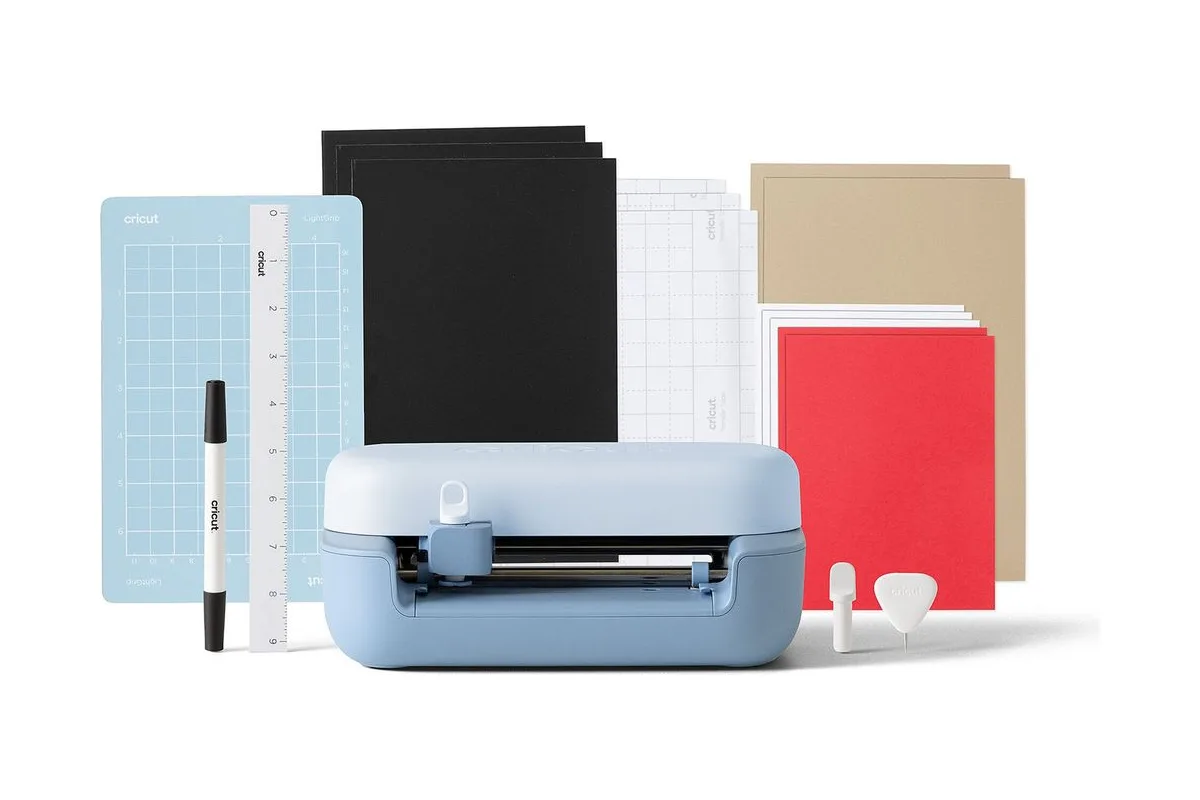
| Joy 2 | $99 machine; $109 Essential Bundle on Amazon | Labels, small decals and cards; scores and does Print Then Cut | 4.5-inch cut width; 5.3 in/s |
| Explore 5 | $199 machine; $199 Essential Bundle on Amazon | Full-width decals, signs and shirt designs; 12 ft of Smart Materials | No Rotary or Knife Blade, so no unbacked fabric or wood |
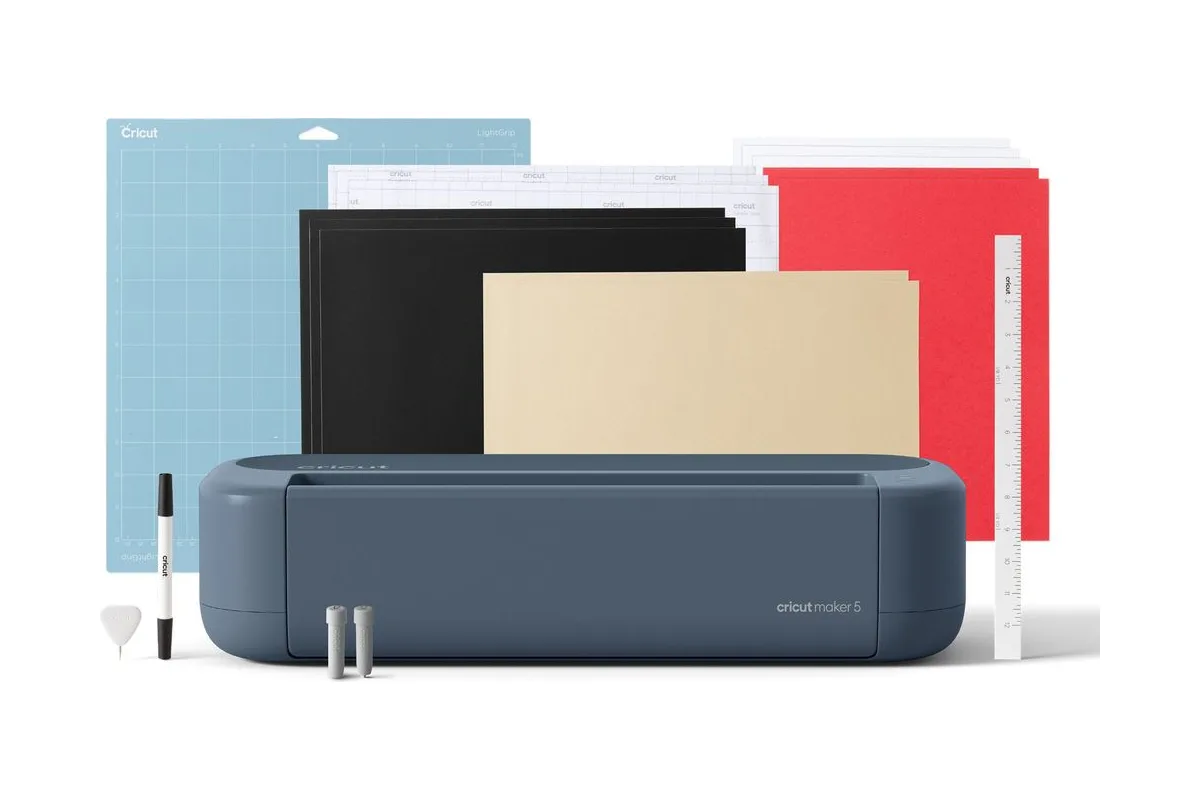
| Maker 5 | $349 machine; $399 Essential Bundle on Amazon | Adds leather, thin wood and engraving, up to 3 mm | Knife Blade jobs need a computer |
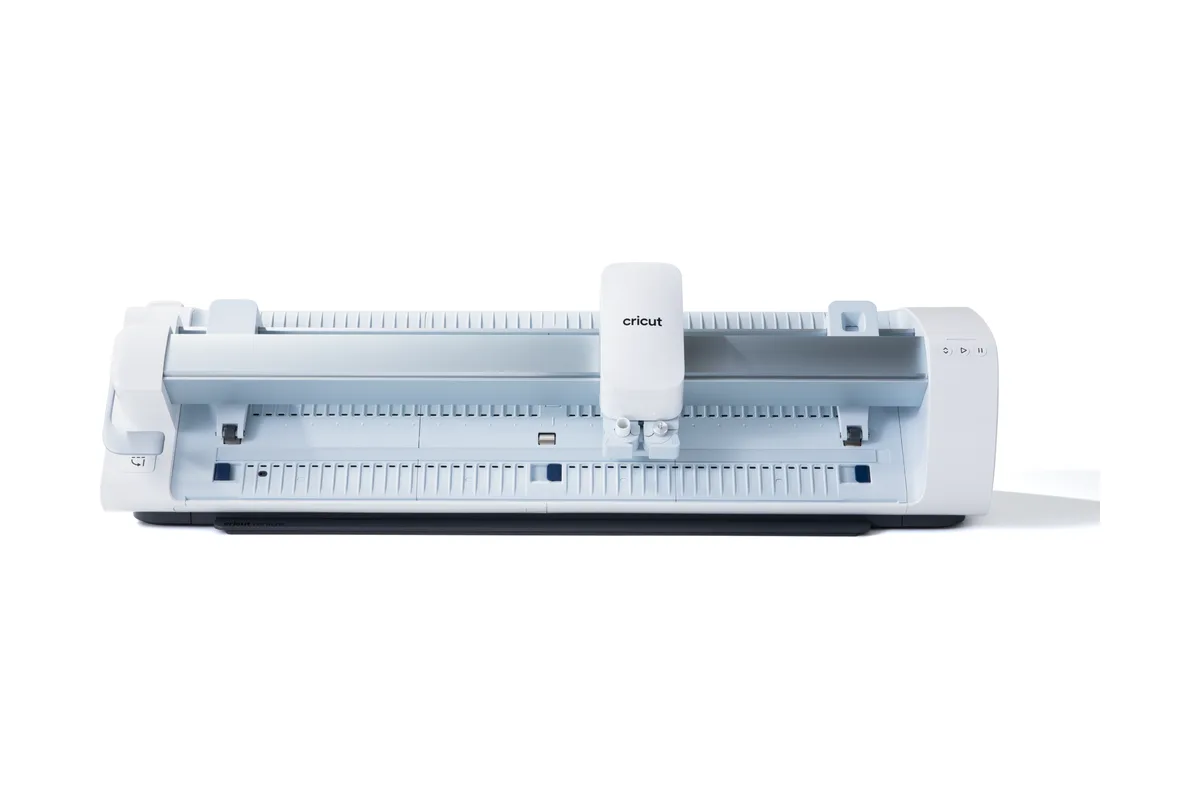
| Venture | $499 machine (launched at $999); the Everything Bundle is also $499 at Cricut | 24 in wide, 25.4 in/s, repeated cuts up to 75 ft, 400 gf of force | Computer only; needs 24-inch Performance Machine Mats for non-Smart materials |
Cricut built the Venture for “those who sell their crafts”. At 25.4 inches per second it’s Cricut’s fastest machine, against 14.1 on the Explore 5 and Maker 5. For most new sellers, the Explore 5 is the cheaper way to test whether a product sells. See the best cutting machines for a small business, Venture vs Maker 5 and Venture vs Silhouette CAMEO PRO MK-II.
Does Silhouette have different selling rules?
Yes. Silhouette Design Store designs are for personal use unless you buy a commercial license for that specific design, a one-time payment that varies by design. Silhouette states no yearly cap like Cricut’s 10,000, and its commercial license covers physical products such as an HTV shirt. If the “Commercial Use” box is greyed out, the design is personal-use only. See Cricut Design Space vs Silhouette Studio and is Silhouette Studio Business Edition worth it?
What can get an Etsy shop shut down?
Intellectual property complaints. Etsy says sellers are “responsible for ensuring they have all necessary rights to their content”. It removes listings reported for infringement, and it “terminates selling privileges of members who are subject to repeat or multiple notices.” Licensed characters are off-limits under Cricut’s Angel Policy too, even if you bought the image in Design Space. Original designs, or designs with a commercial license you can show, are the safe route.
Questions people ask
Is it legal to sell things made with a Cricut?
Yes. Cricut’s Angel Policy allows selling finished physical projects made with its content, up to 10,000 a year, labeled “Includes Copyright Materials of Cricut”. Licensed content, loose cuts, kits and digital files are excluded. Your own designs aren’t covered by the policy, but you need the rights to them.
Can you sell Disney designs made with a Cricut?
No. Cricut’s Angel Policy excludes Disney, Marvel, Star Wars, Warner Bros. and other licensed content from any sale, regardless of quantity, even if you bought it in Design Space.
Do you need Cricut Access to sell what you make?
No. The free plan includes limited commercial use under the Angel Policy.
Can you sell SVG files you made in Design Space?
Not with Cricut’s content in them. The Angel Policy bans selling digital versions of projects, including cut files and PDFs. Your own original artwork isn’t Cricut content.
How much does Etsy take from a sale?
For US sellers, 6.5% of the item price plus shipping, plus 3% + $0.25 payment processing, plus $0.20 per listing. On a $20 shirt with $5 shipping that’s about $2.83, by our estimate. Offsite Ads add 15%, or 12% for shops over $10,000 a year.
What sells best with a Cricut?
We can’t promise what will sell; it depends on your designs, prices and buyers. Cricut’s own policy examples are cards, iron-on shirts, apparel, home décor and personalized drinkware. Price each one to cover fees, materials, blanks, postage and your time.
Sources
- Cricut Angel Policy, cricut.com
- Cricut Access join page, cricut.com
- Cricut Access subscription plans, cricut.com
- Cricut Help: How to upload images into Design Space, help.cricut.com
- Etsy Fees & Payments Policy, etsy.com
- Etsy Payments Policy, etsy.com
- Etsy Intellectual Property Policy, etsy.com
- Silhouette Design Store Policies and Information, silhouetteamerica.freshdesk.com
- Cricut vinyl (store), cricut.com
- Cricut iron-on and HTV (store), cricut.com
- Cricut paper and cards (store), cricut.com
- Cricut machine mats (store), cricut.com
- Cricut blades and tools (store), cricut.com
- Siser EasyWeed prices, siserstore.com
- Sign Warehouse (Oracal 651 prices), signwarehouse.com
- Cricut Venture product page, cricut.com
- Cricut Explore 5 product page, cricut.com
- Cricut Joy 2 product page, cricut.com
- Cricut Maker 5 product page, cricut.com
Keep exploring
Buying guide
The best Cricut machines: which Cricut should you buy?
The Cricut Explore 5 is the best Cricut for most people: 12-inch cuts, 12-foot matless runs and tabloid Print Then Cut for $199 at Cricut in November 2026, machine alone or as the Essential Bundle. Buy the $349 Maker 5 for wood, leather and fabric, the $99 Joy 2 or $129 Joy Xtra for small projects, and the $499 Venture for a vinyl business.
See the picks
Buying guide
The best cutting machines for beginners
The Cricut Explore 5 is the best cutting machine for beginners: the Essential Bundle is $199 in November 2026, the same as the machine alone, and it cuts 12-inch vinyl, iron-on and cardstock, scores cards and prints and cuts tabloid sticker sheets. The Joy Xtra ($129) suits small desks; the Silhouette CAMEO 5α ($279.99) skips subscriptions.
See the picks
Buying guide
The best cutting machines for cardstock and paper crafts
The Cricut Explore 5 is the best cutting machine for cardstock and paper crafts: a Scoring Tool in the box, card mats, Print Then Cut on tabloid sheets and 14.1-inch-a-second cuts, for $199 in November 2026 (the Essential Bundle with a 2-Card Mat is also $199). The Cricut Maker 5 ($349) adds debossing, perforation and the Knife Blade for chipboard; the Joy 2 ($99) is the budget card maker.
See the picks
How to
Can you use any vinyl with a Cricut?
Yes. Every Cricut cuts other brands of adhesive vinyl and heat transfer vinyl, such as Oracal 651 and Siser EasyWeed, as long as you put them on a cutting mat. Only Cricut's Smart Materials cut without a mat. Oracal 651 costs $0.51 to $0.67 a square foot against $2.25 for Cricut Premium Vinyl.
Read the guide